Best Cold Sublimation Transfer Printing Machines in 2026
Choosing among the Best Cold Sublimation Transfer Printing Machines in 2026 requires more than comparing speed or price. Cold Sublimation Transfer Printing can refer to different transfer workflows, so confirm how each manufacturer defines the process. That distinction matters. Check whether the machine supports your transfer media, intended substrates, and production volume. A glossy sample may look impressive, but consistent color across a full run matters more.
This guide compares practical features, including print width, resolution, operating costs, software compatibility, maintenance access, and available technical support. Pay close attention to published specifications, then ask suppliers to demonstrate results on materials you plan to use. A compact machine may suit a small studio, while a busy production floor may need faster throughput and simpler servicing. There is no universal winner. Your workflow sets the priorities. We also consider whether replacement parts and clear operating guidance are readily available, because these affect long-term reliability. Some product listings leave important details unclear; that is worth checking before purchase. The comparison is a starting point, not a promise that any machine will fit every shop. Verify current specifications directly with manufacturers, and test samples when possible. A careful trial can reveal limitations a brochure misses.
Cold-Peel Sublimation Basics: 180–210°C Transfer and Cool-Release Steps
Best Cold Sublimation Transfer Printing Machines in 2026
Cold-peel sublimation depends on controlled heat and patient handling. Many transfers use a press setting between 180°C and 210°C, but the correct value varies by ink, paper, fabric, and press. Follow the transfer supplier’s settings and test a small piece of polyester first. A timer and surface thermometer can help reveal uneven heating. Small details matter. After pressing, move the item to a clean, heat-safe surface and let it cool fully before peeling. The sheet should feel cool, not merely comfortable to touch.
Tips: Keep the transfer flat while it cools, and avoid sliding it across the fabric. Lifting a warm sheet can blur edges or create faint doubled outlines, known as ghosting. Use heat-resistant gloves when moving hot materials. Record temperature, pressure, and dwell time for each test; otherwise, it is easy to change too many variables at once.
A well-calibrated machine should hold steady pressure across the design, including near its corners. If colors look dull, check the substrate coating, paper orientation, and temperature before extending press time. More heat is not always better. Cooling can take longer on thick blanks, so allow extra time rather than peeling early. The exact endpoint is easy to misjudge, and paper instructions can differ. Adjust one setting at a time, then compare results under the same lighting.
Machine Types: Desktop, Roll-to-Roll, and Calender Systems
Best Cold Sublimation Transfer Printing Machines in 2026
Machine Types: Desktop, Roll-to-Roll, and Calender Systems
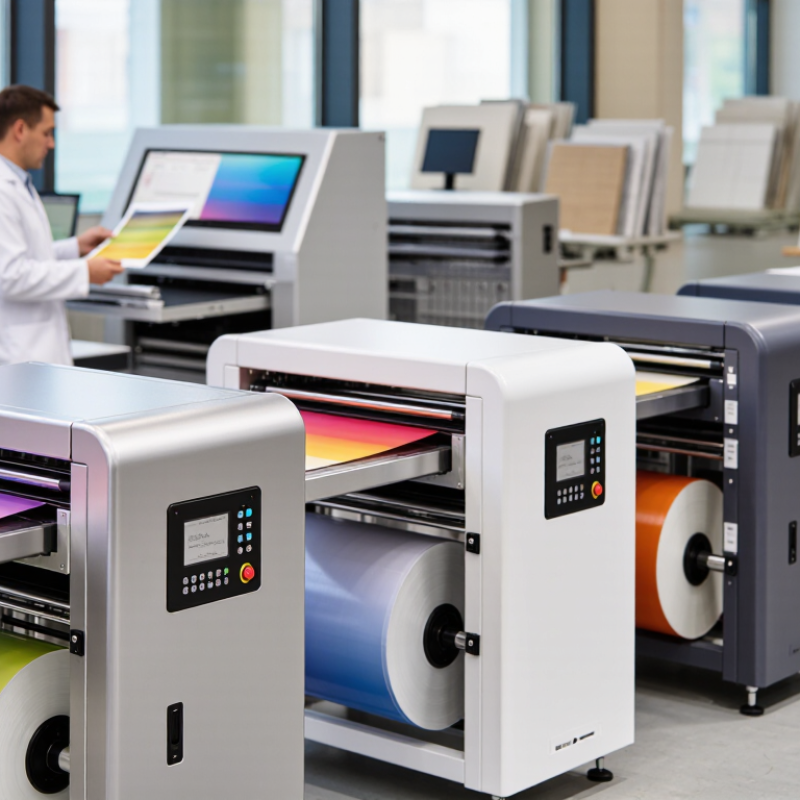
Choosing among desktop, roll-to-roll, and calender systems starts with job size, not headline speed. Desktop printers suit samples, short runs, and narrow transfers. Operators can check color and registration beside the machine. Their limited width and manual handling become costly when orders repeat. Small, but useful.
Roll-to-roll printers feed transfer paper continuously, making them practical for long fabric panels, sportswear cuts, and repeat patterns. Check usable print width, take-up tension, and dryer capacity. A fast printhead cannot fix skewed paper. Calender systems use a heated drum and pressure to move printed paper and fabric together. They suit steady production but need floor space, power, and careful temperature checks. Not a casual upgrade.
Grand View Research estimated the global digital textile printing market at USD 2.7 billion in 2023, with a projected 12.1% annual growth rate through 2030. This covers digital textile printing broadly, not cold-transfer machines alone, so treat it as market context rather than a machine forecast. Before purchasing, test the full workflow on your actual fabric. For cold-peel transfers, check release after cooling and inspect adhesion, edges, and color under normal handling. Small test runs can still miss production problems.
2026 Selection Metrics: 300 dpi+, CMYK Ink, Throughput, and Total Cost
Choosing a cold sublimation transfer machine in 2026 starts with checking whether its resolution suits your actual artwork. A rating of 300 dpi or higher can preserve fine lettering and clean edges, but the number alone does not guarantee a sharp transfer. Examine a test print under ordinary workshop lighting. Small details matter. CMYK ink should produce balanced colors across your chosen transfer media; ask how profiles are created and whether results stay consistent between batches. The awkward part: vivid colors on screen may look duller after transfer, so judge samples on the final material.
Throughput means more than advertised pages per hour. Run a timed job with your typical image size, coverage, and handling steps, then record usable output per shift. A fast printer can still bottleneck a small team. Measure carefully. Total cost should include ink, transfer media, maintenance parts, software, energy, rejected prints, and downtime—not just the purchase price. Request a realistic service schedule and check which components need routine cleaning. One imperfect test run is useful; a single polished sample is not enough. Compare repeatability, print quality, and cost per usable transfer before choosing.
Best Machine Classes by Fabric Width, Daily Volume, and Workflow
For narrow fabric rolls, a 24- to 32-inch machine can suit sample rooms, small apparel runs, and shops with limited floor space. It is easier to load and monitor, but frequent roll changes can interrupt a busy shift. Small can be steady. Check that the printer’s usable width matches the fabric, not just the advertised maximum.
Mid-width machines, often around 44 to 64 inches, fit decorators producing repeat orders across garments, banners, or home textiles. They need room for roll handling and a transfer press or calendar that can keep pace. A fast printer paired with a slow press creates a queue of printed paper. That mismatch is easy to overlook.
High-volume lines make sense when long rolls and multiple shifts are routine. Look beyond headline speed: take-up tension, color consistency, service access, and operator changeover all affect usable output. In a cold-peel workflow, confirm that the transfer paper and fabric process support the required cooling and release steps. Run test swatches at production width; edge curl or uneven feeding may appear only on a full roll. I would not choose a larger class on speed alone. Floor space and staffing matter, too.
Quality Checks: ISO 105-C06 Wash Testing and ISO 13655 Color Measurement
Best Cold Sublimation Transfer Printing Machines in 2026
A machine’s sample print may look crisp on the bench, but durability matters too. For a useful comparison, print identical designs on the same fabric and record the temperature, pressure, and dwell time. Then assess colorfastness using ISO 105-C06, which covers laundering tests and evaluates color change and staining. Keep wash conditions consistent. Small differences in detergent, load, or drying can distort results.
Color measurement adds objective evidence. ISO 13655 describes spectral measurement and colorimetric calculation for graphic arts. Use a calibrated spectrophotometer and document the measurement condition, backing, and sample location. Measure before and after washing, then compare color differences, such as ΔE00, using the same method each time. A single perfect swatch can mislead. Test several samples, including areas with pale gradients and dense colors; uneven transfer can hide in solid blocks.
Tips: Keep a dated test log with fabric lot, machine settings, wash cycle, and readings. Photograph samples under steady lighting, but do not treat photos as measurements. If results vary, repeat the test before ranking a machine. That extra check can feel tedious. It is still worthwhile.